
First of all, what is SQLite?
SQLite is one of the representatives of SQL database systems best known for its simpleness and high speed. Therefore, SQLite is an excellent choice for middle-sized projects. It is small, flexible, fast, and quite simple to set up in our application.
SQLite is not a Client/Server RDBMS (Relational Database Management System); it is built-in in our application, and the data is being retrieved/stored/modified during our application process.
With Client/Server RDBMS, our application is a separate process, and the database is another. That relation means that the connection between the database is basically a dialogue and intercommunication between computer processes. Communication within the computer processes requires extra resources and usually causes delays. In that respect, SQLite is more efficient.
However, SQLite has its drawbacks. At any given moment, SQLite can only make one entry. So if the traffic for database entries is high, it slows down. However, fetching data from the database can be divided into different streams. Therefore, it is essential to consider how much and what kind of workload our application will have and choose the database accordingly.

Prerequisites for the setting up SQLite in Laravel (Ubuntu, WSL)
To use SQLite, we need to install the appropriate package:
sudo apt install sqlite3You also need to install the PHP extension for PHP to communicate with the SQLite database.
sudo apt install php-sqlite3SQLite configuration in Laravel
One of the drivers of Eloquent is SQLite; therefore, setting up SQLite in Laravel means just changing the .env file.
The standard database configuration in a .env file looks like this:
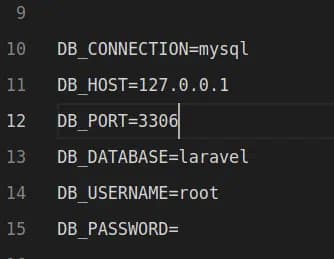
The only thing we need from here is DB_CONNECTION. We can delete the rest because since SQLite is a one-file database, it doesn’t need a database name, user, or password, nor does it have any user privileges.
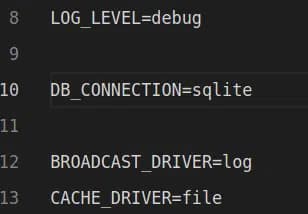
Put sqlite in DB_CONNECTION and delete the rest of the parameters from .env:
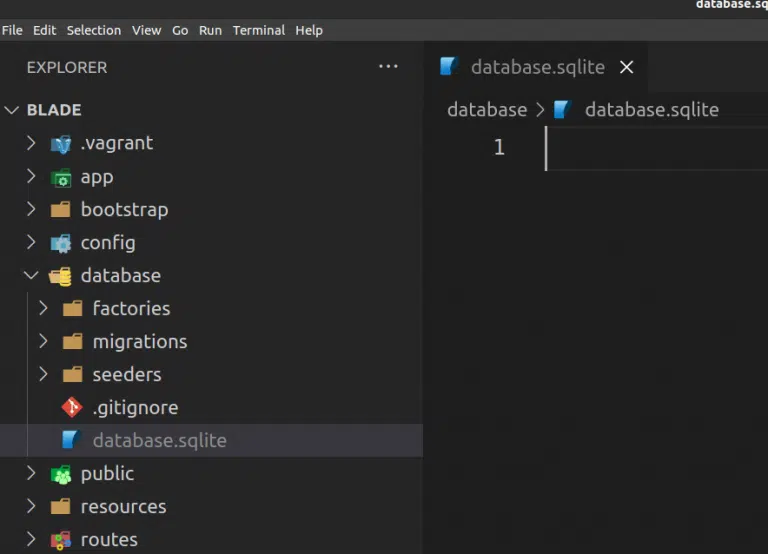
You will also need to create an empty file in the database folder and name it as database.sqlite because generally, Laravel searches the SQLite file at that address:
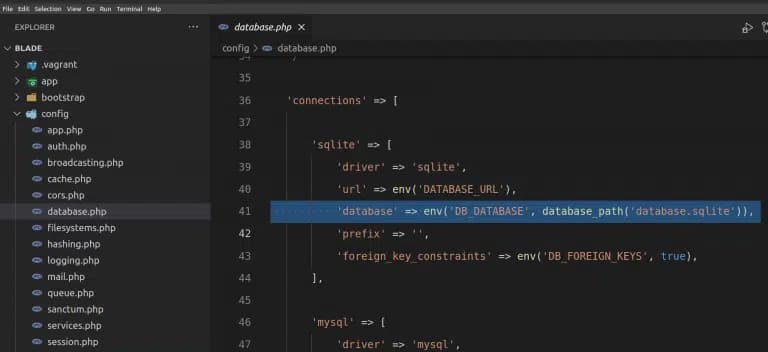
If you want to have an SQLite database (file) on the other address, you should tweak the config/database.php and put the desired name and address of the file:
And that’s it,
Happy Querying ?